AI Layout Rules for Balanced Furniture Placement
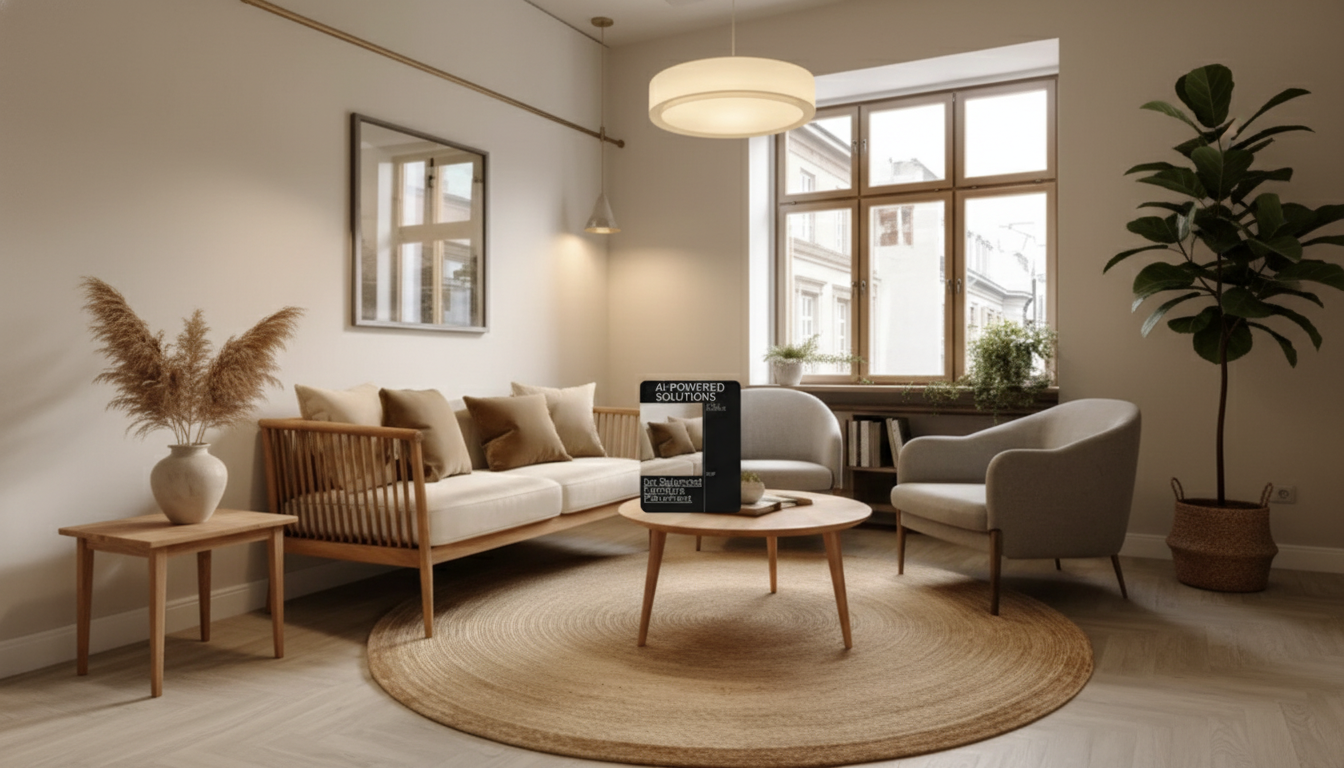
AI-Powered Solutions for Balanced Furniture Placement: A calmer room starts with repeatable rules
Balanced furniture placement gets much easier when the decisions follow a reliable order: measure the room, protect clear walkways, choose a focal point, then distribute “visual weight” so the space feels steady and functional. The AI-Powered Solutions for Balanced Furniture Placement | 3-in-1 Bundle of Guides, eBooks, and Checklists turns that order into a practical system—quick-start guides for immediate wins, an eBook for deeper clarity, and checklists that prevent the classic spacing mistakes (blocked door swings, cramped seating distances, awkward rug scale).
What “balanced” placement means in real rooms
“Balanced” doesn’t mean perfectly symmetrical or styled like a showroom. It means the room works first, then looks composed.
- Function first: Circulation paths stay open, and daily routines (sitting, storing, opening windows/doors) feel effortless.
- Visual balance: Large pieces (sofa, bed, dining table) are distributed so one side of the room doesn’t feel heavier than the other.
- Focal point alignment: The layout is anchored by something intentional—TV wall, fireplace, picture window, bed wall, or statement art.
- Scale and proportion: Furniture sizes make sense for the room; rugs and lighting reinforce the arrangement instead of fighting it.
- Comfortable spacing: Clear legroom at tables, clearance for drawers/doors, and unobstructed walkways.
If accessibility and clearances are a priority, it helps to sanity-check pathways against established guidance like the ADA Standards for Accessible Design (useful as a reference point even in private homes).
How AI supports layout decisions (without replacing taste)
AI can’t decide what feels like “home” to you, but it can reduce the trial-and-error that drains time. Think of it as a fast assistant for exploring options and catching practical issues before moving heavy furniture.
- Fast option generation: Create multiple layout variations from the same measurements, then compare them side-by-side.
- Constraint checking: Quickly evaluate whether spacing and circulation stay realistic (door swings, chair pull-back space, walkway widths).
- Style consistency: Maintain a coherent look by balancing shapes, finishes, and heights across pieces.
- Iteration loops: Change one variable at a time—sofa size, rug size, desk location—and see what improves.
- Decision clarity: Narrow choices using objective criteria, not guesswork.
One helpful lens is “visual hierarchy”—the same principle designers use to guide attention in digital layouts. Applied to a room, it supports better focal points and calmer composition. The Nielsen Norman Group’s overview of visual hierarchy offers a clear explanation that translates well to physical spaces.
What’s included in the 3-in-1 bundle
This bundle is designed to be used in layers: get a workable plan quickly, understand why it works, then verify the details before you commit.
- Guides: Quick-start instructions for measuring, mapping, and arranging with repeatable steps.
- eBook: Deeper explanations of balance, focal points, traffic flow, and room-by-room examples.
- Checklists: Printable or digital lists for measuring, shopping, staging, and final placement verification.
- Templates: Layout frameworks that pair well with common AI tools and planning apps.
- Use cases: Living rooms, bedrooms, home offices, small apartments, and multi-purpose spaces.
Bundle components at a glance
| Component | Best for | Typical outcomes |
|---|---|---|
| Guides | Getting unstuck quickly and testing 2–4 layouts | Clear steps, faster first draft layouts |
| eBook | Understanding why arrangements feel “off” and how to fix them | Better balance, proportion, and focal-point alignment |
| Checklists | Avoiding last-minute surprises during setup | Correct clearances, smoother day-of placement |
A practical workflow: from empty room to finished layout
A repeatable workflow is the difference between “shuffling furniture” and actually designing a room.
For rooms with vents or HVAC returns, avoid sealing them behind bulky pieces. The U.S. EPA’s guidance on indoor air quality is a useful reminder that airflow matters—especially in smaller spaces.
Room-by-room placement rules that prevent common mistakes
Living room
Bedroom
Dining area
Home office
Small apartments and multi-purpose spaces
How to use the checklists during shopping and setup
Recommended tools and bundles
- AI-Powered Solutions for Balanced Furniture Placement | 3-in-1 Bundle of Guides, eBooks, and Checklists — the core system for planning, validating clearances, and finishing a room with confidence.
- Personal AI Productivity Companion Toolkit | 10-in-1 AI Virtual Assistant Bundle — helpful if you want broader AI workflows for planning, checklists, schedules, and decision-making beyond home layouts.
- 65W GaN USB C Fast Wall Charger with Quick Charge — a practical add-on for keeping a tablet/phone powered during measuring, room scanning, and plan revisions.
FAQ
What information is needed to get useful AI-assisted layout suggestions?
Provide room dimensions, door/window locations, and any fixed elements (radiators, built-ins). Add furniture dimensions, must-have functions (seating count, desk use, storage), your preferred focal point, and any clearance constraints you can’t compromise on.
Can these methods work for small apartments and multi-purpose rooms?
Yes. The key is protecting circulation, choosing multi-function pieces, and zoning with rugs and lighting so each use-case feels intentional. Generating a few options and then validating them with clearance checklists keeps small spaces from feeling cramped.
How can balance be improved without buying new furniture?
Recenter the layout around a clearer focal point, then redistribute tall or visually heavy items so one side of the room doesn’t dominate. Correct rug scale, add lighting to dark corners, and aim for either clean symmetry or clearly intentional asymmetry.











Leave a comment